Adding notes and linking transactions to my budgeting system
I have a budgeting system that I first wrote in Perl using Catalyst in 2009, and last re-wrote in Python using my own web application framework, linawf (which is a recursive nonsense acronym for “Linawf is not a web framework”) and SQLAlchemy in 2012. It implements a digital version of the envelope budgeting method (although I call them “buckets” rather than “envelopes”) where I allocate money from my income to specific purposes, such as car fuel, energy bills, holiday, food, etc. This post is about updating that to enable adding notes to transactions and then linking related transactions.
My system automatically allocates income to the buckets based on rules, including (optionally) allocating surplus to a different bucket (instead of falling through) if the bucket is “full” (at an upper limit I set). For example, I used to have a hobby bucket (before I consolidated it into my “savings” one) and any surplus from my monthly mobile phone and broadband allocations, once I already had what was required to pay the monthly bill but a little contingency, went into it.
At some point I think I want to re-write this (again) using Django. One thing I have in mind it to add a receipts management component too, currently I just save these in a folder structured by date (e.g. year/month/year-month-day <receipt source> [tags].pdf - they are mostly PDF format) and I would like to then link the receipt to the transaction in my accounts system. I wasn’t sure how to link them, if I created separate Django applications for them, while keeping it optional to enable/disable the applications individually (as I would hope to make this available on GitHub). I think I have found the answer to this, from a Stack Overflow question on referencing models from other applications and Django’s documentation on application registry, which explains how to discover if applications are enabled. So I should be able to make the model and UI references conditional on the other application being enabled. Maybe.
Anyway, back to the change at hand…
Adding notes to transactions
To do this, I just added a notes column to the database then updated the UI elements to support adding, editing, searching and displaying this.
Database/ORM changes
Firstly, I added the notes column to my transactions table definition which was in the files budget/entities.py in my source (everything else here was already there):
class Transaction(Base):
    __tablename__ = 'transactions'

    id = sa.Column(sa.Integer, primary_key=True)
    date = sa.Column(sa.Date, nullable=False)
    description = sa.Column(sa.Text)
    notes = sa.Column(sa.Text)
    ratified = sa.Column(sa.Boolean, nullable=False)
    template = sa.Column(sa.Boolean, nullable=False)

    account_postings = sao.relation(TransactionAccountPosting, backref=sao.backref('transaction'))
    bucket_postings = sao.relation(TransactionBucketPosting, backref=sao.backref('transaction'))
I also updated the search class method to support searching the notes as well as the description:
@classmethod
def search(cls, description=None, search_notes=False, start_date=None, end_date=None, min_value=None, max_value=None, limit=None, offset=None):
    query = Session.query(cls)

    # Going to want to join TAP in all cases - for overall value and also if min/max are provided
    query = query.join(TransactionAccountPosting).distinct()

    logger.info("Searching for %s transactions, offset %d, with description '%s' (%s notes), %s<=date<=%s and %d<=value<=%s", limit or 'all', offset or 0, description, 'including' if search_notes else 'not including', start_date or 'any', end_date or 'any', min_value or 0, max_value or 'infinity')

    if description:
        if search_notes:
            query = query.filter(or_(cls.description.ilike('%{}%'.format(description)), cls.notes.ilike('%{}%'.format(description))))
        else:
            query = query.filter(cls.description.ilike('%{}%'.format(description)))

    if start_date:
        query = query.filter(cls.date >= start_date)

    if end_date:
        query = query.filter(cls.date <= end_date)

    # Take min/max to be any individual account posting between the limits
    if min_value and max_value:
        query = query.filter(or_(and_(TransactionAccountPosting.value>=min_value, TransactionAccountPosting.value<=max_value), and_(TransactionAccountPosting.value<=-1*min_value, TransactionAccountPosting.value>=-1*max_value)))
    elif min_value:
        query = query.filter(or_(TransactionAccountPosting.value>=min_value, TransactionAccountPosting.value<=-1*min_value))
    elif max_value:
        query = query.filter(and_(TransactionAccountPosting.value<=max_value, TransactionAccountPosting.value>=-1*max_value))

    count = query.count()
    total_value = query.with_entities(sa.func.sum(TransactionAccountPosting.value)).scalar()

    query = query.order_by(Transaction.date.desc(), Transaction.id)

    if limit is not None:
        query = query.limit(limit)
    if offset is not None:
        query = query.offset(offset)

    return {
        'count': count,
        'transactions': query.all(),
        'total_value': total_value
    }
Currently I have no mechanism for updating the database - in previous iterations of the system I had migration scripts for doing this. This is another driver for wanting to move to Django. Instead, I manually added the column to my database:
ALTER TABLE transactions ADD COLUMN notes TEXT;
UI changes
The were a number of places I wanted to update for this field - obviously editing and displaying individual transactions, but I also wanted to see which transactions had notes in the transaction list display and to optionally search the notes as well as descriptions from the search form.
Edit transaction form
My original plan was to add <textarea>...</textarea> to the form, to allow the flexibility to have multiline notes. However, my current wizard uses <input type="hidden" .../> to store the values from the previous steps, which won’t work with values that have newlines. So, instead, I just used a single-line <input type="text" .../> for the notes - less flexible but better than the current situation (nothing). This was added to my templates/create.j2 template (which is now a misnomer as the same template is used for editing transactions):
<p><label for="txtNotes">Notes:</label><input type="text" id="txtNotes" name="notes" {{ macros.value_if(transaction, 'notes') or macros.value_if(template, 'notes') }}/></p>
The other templates (allocate_account.j2 and allocate_buckets.j2) just needed a hidden field adding to preserve the value through the rest of the add/edit transaction (same templates for either) wizard:
<input type="hidden" id="hdnNotes" name="notes" value="{{ notes }}" />
Backend code changes
Relatively few code changes were required - in my budget/controller/transaction.py file I passed the notes through to the template for the allocate_account and allocate_buckets functions:
def allocate_account(request, response):
    # [...]
    response.unicode_body = v.render_view('transaction/allocate_account.j2', request,
        type=request.params['type'],
        date=request.params['date'],
        description=request.params['description'],
        notes=request.params['notes'],
        template=request.params.get('template', False),
        base_template=template,
        **data
    )

def allocate_buckets(request, response):
    data = {}

    data['transaction'] = _get_transaction(request)

    for key in ('type', 'date', 'description', 'notes', 'ratified', 'template'):
        data[key] = request.params.get(key)
    # [...]
The other changes were in the do_create function (another misnomer, as it also updates edited transactions), to add/update the notes (for new/existing transactions respectively):
def do_create(request, response):
    # [...]
    if transaction is None:
        transaction = entities.Transaction(request.params['date'], request.params['description'], request.params['notes'], ratified)
        logger.debug("New transaction")
    else:
        # [...]
        if transaction.notes != request.params['notes']:
            logger.debug("Transaction %d has new notes (old: %s, new: %s)", transaction.id, transaction.notes, request.params['notes'])
            transaction.notes = request.params['notes']
        # [...]
Finally, I have an function to bulk-create transactions from multiple template transactions, which also needed the notes field adding to the constructor call for a new transaction:
def bulk_add_template(request, response):
    # [...]

    for id in ids:
        # [...]

        new_transaction = entities.Transaction(transaction_date, template_transaction.description, template_transaction.notes)

        # [...]
Textarea version notes
From my initial work to add notes as a textarea, I had a few notes that I want to preserve although I reverted these code changes as they are unnecessary with the plain text input version:
The new CSS class was needed to ensure the label is vertically aligned neatly.
Without the class:
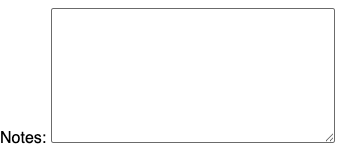
With the class:
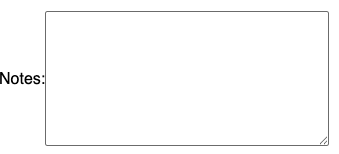
The CSS for the class is (I added it to the file htdocs/static/styles/main.css in my source tree - htdocs/static is served up directly by the webserver, rather than passed through to uwsgi and my application, for efficiency):
/*
 * Display label and textarea vertically aligned (otherwise label will sit at the bottom of the text area).
 * Based on: https://stackoverflow.com/a/1839450
 */
.textarea_container {
       display: flex;
       align-items: center;
}
I had an existing macro to output a value= attribute for input elements, however the textarea takes its text as content rather than an attribute. I therefore added a new macro to my templates/macros.j2 file to output just the value (without the surrounding value=" and "). Only text_if is new but I’ve reproduced the existing macro here for reference - note the macro returning nothing if there’s no value is useful for the value_if(...) or value_if(...) logic in the template above:
{% macro value_if(item, value=None) -%}
{%     if item %}value="{% if value %}{% if item[value] and item[value] != None %}{{ item[value] }}{% endif %}{% else %}{{ item }}{% endif %}"{%     endif %}
{%- endmacro %}
{% macro text_if(item, value=None) -%}
{%     if item %}{% if value %}{% if item[value] and item[value] != None %}{{ item[value] }}{% endif %}{% else %}{{ item }}{% endif %}{%     endif %}
{%- endmacro %}
Transaction display
This was a simple one line addition to my templates/transaction/view.j2 template:
<p>Notes: {{ transaction.notes or '' }}</p>
Transaction list
I wanted to display if a transaction had a note in the lists of transactions, so far my application has no images and I did not want to start adding some so I used the UnicodePlus website to search for a suitable Unicode character to use. I chose 🗒, “Spiral Note Pad” as other symbols that sounded more appropriate, like “Note”, “Note Page” were not rendering in Chrome.
In my budget/entities.py ORM code, I added the new notes field to the list of fields retrieved by the transactions method on the Account and Bucket classes:
class Bucket(base):
    # [...]
    def transactions(self, limit=None, offset=None):
		query = Session.object_session(self) \
			.query(Transaction.id, Transaction.date, Transaction.description, Transaction.notes, Transaction.ratified, TransactionBucketPosting.value) \
			.join(TransactionBucketPosting) \
			.filter(TransactionBucketPosting.bucket_id==self.id) \
			.order_by(Transaction.date.desc(), Transaction.id)

		if limit is not None:
			query = query.limit(limit)
		if offset is not None:
			query = query.offset(offset)

		return query.all()
    # [...]

class Account(base):
    # [...]
	def transactions(self, limit=None, offset=None):
		query = Session.object_session(self) \
			.query(Transaction.id, Transaction.date, Transaction.description, Transaction.notes, Transaction.ratified, TransactionAccountPosting.value) \
			.join(TransactionAccountPosting) \
			.filter(TransactionAccountPosting.account_id==self.id) \
			.order_by(Transaction.date.desc(), Transaction.id)

		if limit is not None:
			query = query.limit(limit)
		if offset is not None:
			query = query.offset(offset)

		return query.all()
There are a number of templates, where transactions are displayed, to edit, however the change is the same for all of them. The templates are:
- Account display (
templates/account.j2) - Bucket display (
templates/bucket.j2) - Search results (
templates/search/form.j2(another misnomer, it shows both the search form and, if a search has been conducted, the results below it)) - Template transactions management page (
templates/manage/template_transactions/list.j2)
I enabled the note to display as a “tooltip”esque popup, using CSS and an attribute on a block element based on a Stack Overflow answer. The CSS just went in my static htdocs/static/styles/main.css file:
[data-tooltip] {
	display: inline-block;
	cursor: pointer;
}

[data-tooltip]:hover::after {
	display: block;
	position: absolute;
	content: attr(data-tooltip);
    color: #000;
	font-weight: normal;
	border: 1px solid black;
	background: #eee;
	padding: .25em;
}
Within the templates, I just added the note icon with the note as data in a div element after the existing display of the description:
<a href="{{ request.script_name }}/transaction/{{ transaction.id }}">{{ transaction.description }}</a>{% if transaction.notes %}<div data-tooltip="{{ transaction.notes }}">🗒</div>{% endif %}
Searching
Although I have already added support for displaying notes in search results and support for searching notes to the ORM layer, I have not added the UI support for searching notes.
This is just a checkbox on the search form, so say whether the description text search should also search the notes (for now, I have decided not to separately search notes). The parenthesis are just aesthetic, it appears in brackets after the description search box:
(
    <input type="checkbox" id="chkIncludeNotes" name="include_notes" {% if params and params.get('include_notes', False) %}checked="checked" {% endif %} />
    <label for="chkIncludeNotes">also search notes</label>
)
Since I had done most of the work, I just needed to adjust the do_search function in my budget/controller/search.py file to pass through the value to the transaction search method and template (so the state of the tickbox is correct on the form after searching) respectively:
def do_search(request, response):
	# [...]

	description = request.params.get('term', None)
	include_notes = request.params.get('include_notes')
	if include_notes == 'on':
		include_notes = True
	else:
		include_notes = False
	start_date = request.params.get('start_date', None)
	end_date = request.params.get('end_date', None)

    # [...]

	logger.debug("Searching for transactions with description '%s' (%s notes), %s<=date<=%s and %d<=value<=%s", description, 'including' if include_notes else 'not including', start_date or 'any', end_date or 'any', min_value or 0, max_value or 'infinity')

	# Result with be a dict with keys 'count', 'transactions' (the individual, paginated, transactions), 'total_value'
	result = entities.Transaction.search(description=description, search_notes=include_notes, start_date=start_date, end_date=end_date, min_value=min_value, max_value=max_value, limit=page_size, offset=((page-1)*page_size))

	# Multiply by 1.0 to give python the hint we want a float to round up
	pages = int(math.ceil(result['count'] * 1.0 / page_size))

	return {
		'page': page,
		'pages': pages,
		'params': {
			'term': description,
			'include_notes': include_notes,
			'start_date': start_date,
			'end_date': end_date,
			'min_pounds': min_pounds,
			'min_pence': min_pence,
			'max_pounds': max_pounds,
			'max_pence': max_pence
		},
		'search_results': result
	}
And that’s all there was to adding support for making arbitrary notes on my transactions.
Linking transactions
Now I can add notes, I also want to be able to link related transactions together. For example, I transfer our mortgage payment to our joint account and then it’s separately collected from there by the bank each month (so it would be helpful to link those), I pay for my wife’s mobile phone and she transfers the payment to me each month (again, they can be linked) and when I have out of pocket work-related expenses, it would be helpful to link the transaction reimbursing me for them to the amount going out. I might even want to go a step further and link all costs related to a particular holiday, for example (although I might want to be able to add a description to the set of links for that one).
One complication is how this works with my template transactions. A “template transaction”, in my system, is just a boolean “template” flag on the transaction which causes it to appear in a list on a “Add Transaction from Template” page - there’s also a “Clone transaction” option on every transaction’s details page and adding a transaction from template just does a “clone” on the template transaction (and any transaction can be cloned). While I’m quite happy with the idea that links to other transactions get cloned, what I’m wrestling with is whether that’s a shallow or deep copy of the links - i.e. do linked transactions also get duplicated (so the clone is a complete set of new transactions) or do the links to the existing related transactions, but not the linked transactions themselves, get duplicated (so the clone is itself a new transaction but linked to the same, existing, transactions as the old one).
Thinking this through, with the idea of labelling sets of links too, I think I need to create an idea of “link sets” and allow for cloning a link set (which clones the entire set, i.e. does a “deep copy” creating a brand new copy of every transaction in the set) separately from cloning a transaction (which clones the links to the existing transactions, i.e. does a “shallow copy” creating one new transaction and new links within the same link set).
Database/ORM changes
So, in my database I need two new tables:
-
link_setsThis will defines each set of links with a description and whether or not this link set is a template (as with transactions, I am imagining that any link set is able to be cloned, the
templateflag is just a convenience that controls whether it appears in template lists). I expect there to be many link sets, for example one for each month of my work expenses that I claim (and get reimbursed for) together, so I also added ashow_in_listflag (I did call itlistbut that clashes with the Python builtin function, so I changed the name) to control whether it gets displayed by default in lists to allocate transactions to or has to be searched for.Therefore is needs three fields:
id(primary key)description(which may be null)templateboolean (defaultfalse)show_in_listboolean (defaultfalse)
-
transaction_link_setsThis will link transactions that are linked via a link set to the link set definition. The neatness of this approach is that it captures the non-directional nature of these links (i.e. if a transaction appears in the link set, it is linked to all other transactions in that set and there is no need to specify links between individual transactions directly).
It therefore needs three fields:
id(primary key - should be unnecessary but is with SQLAlchemy)transaction_id(links to the transaction)link_set_id(links to the link set)
Ideally the primary key will be
(transaction_id, link_set_id)to ensure no duplication of any transactions occurs within a single link set, however SQLAlechemy only likes single column primary keys so I have to add anidcolumn. Django does support composite primary keys (since version 5.2) - another reason to rewrite in it…
I added the new classes to my ORM, in budget/entities.py:
class TransactionLinkSet(Base):
	__tablename__ = 'transaction_link_sets'

	id = sa.Column(sa.Integer, primary_key=True)
	transaction_id = sa.Column(sa.Integer, sa.ForeignKey('transactions.id'), nullable=False)
	link_set_id = sa.Column(sa.Integer, sa.ForeignKey('link_sets.id'), nullable=False)

	def __init__(self, transaction, link_set):
		self.transaction = transaction
		self.link_set = link_set

# [...]

class Transaction(Base):
    # [...]
    linksets = sao.relation(TransactionLinkSet, backref=sao.backref('transaction'))

# [...]

class LinkSet(Base):
	__tablename__ = 'link_sets'

	id = sa.Column(sa.Integer, primary_key=True)
	description = sa.Column(sa.Text)
	template = sa.Column(sa.Boolean, nullable=False)
	show_in_list = sa.Column(sa.Boolean, nullable=False)

	transactions = sao.relation(TransactionLinkSet, backref=sao.backref('link_set'))

	def __init__(self, description, template=False, show_in_list=False):
		self.description = description
		self.template = template
		self.show_in_list = show_in_list
Although I have no migration capability, as I described earlier, these are new tables and I do have a metadata.create_all(engine) call to SQLAlchemy which will create any missing tables (it just will not modify them if they exist) so I did not need to manually edit my database at all.
Class utility functions
For encapsulation and ease of use, I added a few methods for searching for link sets:
class TransactionLinkSet(Base):
# [...]
	@classmethod
	def find_by_transaction_link_set(cls, transaction, link_set):
		session = Session()
		query = session.query(cls).filter(cls.transaction==transaction, cls.link_set==link_set)
		return query.scalar()

# [...]

class LinkSet(Base):
# [...]
	@classmethod
	def all(cls, only_show_in_list=True):
		logger.debug("Listing all link sets, %s those set to not show in lists", 'not including' if only_show_in_list else 'including')
		session = Session()
		query = session.query(cls)
		if only_show_in_list:
			query = query.filter(cls.show_in_list == True)
		return query.order_by(cls.description).all()

	@classmethod
	def find_by_description(cls, description):
		logger.debug("Find link sets with description '%s'", description)
		session=Session()
		query = session.query(cls).filter(cls.description==description)
		return query.scalar()

	@classmethod
	def search(cls, description, add_only_show_in_list=False):
		logger.debug("Searching for links sets with '%s' in the description, will %s include those set to show in list", description, 'also' if add_only_show_in_list else 'not')

		query = Session.query(cls)

		if add_only_show_in_list:
			query = query.filter(or_(cls.show_in_list == True, cls.description.ilike('%{}%'.format(description))))
		else:
			query = query.filter(cls.description.ilike('%{}%'.format(description)))

		query = query.order_by(cls.description)

		return query.all()
Displaying linked transactions
I decided the most logical, from the user interface, way to do this was to have the option to link transactions on the transaction display page.
Firstly, I added a link to the (as yet unwritten) new controller method that will start the link process to the list of options at the bottom of templates/transaction/view.j2:
<p>
	<a href="{{ request.script_name }}/transaction/{{ transaction.id }}/add_to_link_set">Add to link set</a>
{%     if not transaction.ratified %}
	<a href="{{ request.script_name }}/transaction/{{ transaction.id }}/ratify">Ratify transaction</a>
{%     else %}
	<a href="{{ request.script_name }}/transaction/{{ transaction.id }}/unratify">Unratify transaction</a>
{%     endif %}
	<a href="{{ request.script_name }}/transaction/create?template={{ transaction.id }}">Clone transaction</a>
</p>
Listing link sets
After adding the capability to links transactions, I added the display of them to the bottom of my transaction display page (templates/transaction/view.j2). I also moved (but did not otherwise change) the links for adding to a link set, ratifying and cloning transactions to the top of the page.:
<br />
<table>
<caption>Transaction Links</caption>
<tr>
<th>Date</th>
<th>Description</th>
<th>Value</th>
</tr>
{% for transaction_link_sets in transaction.link_sets %}
<tr>
<th colspan="3">{{ transaction_link_sets.link_set.description }} (<a href="{{ request.script_name }}/transaction/{{ transaction.id }}/remove_from_link_set/{{ transaction_link_sets.link_set.id }}">Remove from link set</a>)</th>
</tr>
{% for linked_transaction in transaction_link_sets.link_set.transactions | sort(reverse=True, attribute='transaction.date') %}
{% if linked_transaction.transaction.id != transaction.id %}
<tr>
<td>{{ linked_transaction.transaction.date }}</td>
<td><a href="{{ request.script_name }}/transaction/{{ linked_transaction.transaction.id }}">{{ linked_transaction.transaction.description }}</a>{% if linked_transaction.transaction.notes %}<div data-tooltip="{{ linked_transaction.transaction.notes }}">🗒</div>{% endif %}</td>
{{ money.render_cell(linked_transaction.transaction.value) }}
</tr>
{% endif %}
{% endfor %}
{% endfor %}
</table>
Adding transactions to link sets
In order to avoid creating duplicate link sets, I set up the “add to link set” form to require searching for a link set before showing the option to add a new one.
The template for adding a transaction to a link set is fairly simple:
{% extends 'base.j2' %}
{% import 'macros.j2' as macros %}
{% block title %}Add to link set{% endblock %}
{% block content %}
<form method="get">
    <label for="txtSearch">Search for more link sets:</label> <input type="text" id="txtSearch" name="search_term" {{ macros.value_if(search_term) }} />
    <input type="submit" value="Search"/> <input type="reset" />
</form>
<form method="post" action="{{ request.script_name }}/transaction/{{ transaction.id }}/do_add_to_link_set">

{%     for link_set in link_sets %}
{%         if transaction.id not in link_set.transactions | map(attribute='transaction_id') %}
	<p><input type="checkbox" id="chkLinkSet{{ link_set.id }}" name="link_sets" value="{{ link_set.id }}"/><label for="chkLinkSet{{ link_set.id }}">{{ link_set.description }}</label></p>
{%         endif %}
{%     endfor %}

<p><input type="submit" /> <input type="reset" /></p>
</form>
{%     if search_term %}
<form method="post" action="{{ request.script_name }}/manage/link_sets/add">
    <input type="hidden" name="description" value="{{ search_term }}" />
    <input type="hidden" name="return_url" value="{{ request.script_name }}/transaction/{{ transaction.id }}/add_to_link_set?search_term={{ search_term }}" />
    <input type="submit" value="Add '{{ search_term }}' as new link set" />
</form>
{%     endif %}
{% endblock %}
The controller methods for the form and doing the addition are also straight-forward:
def add_to_link_set(request, response):
	transaction = _get_transaction(request)

	if transaction is None:
		raise Exception("No transaction found.")

	if request.params.get('search_term', None) and not request.params['search_term'].isspace():
		search_term = request.params['search_term']
		# Search for the extra ones requested but also always include the link sets set to be listed by default
		link_sets = entities.LinkSet.search(description = search_term, add_only_show_in_list=True)
	else:
		search_term = None
		link_sets = entities.LinkSet.all()

	return {
		'transaction': transaction,
		'link_sets': link_sets,
		'search_term': search_term,
	}

def do_add_to_link_set(request, response):
	transaction = _get_transaction(request)

	if transaction is None:
		raise Exception("No transaction found.")

	added_to_link_sets = []
	for link_set_id in request.params.getall('link_sets'):
		link_set = entities.LinkSet.find(link_set_id)
		logger.debug("Adding link set id %d (%s) to transaction id %s", link_set.id, link_set.description, transaction.id)
		new_link_set_link = entities.TransactionLinkSet(transaction, link_set)
		new_link_set_link.save()
		added_to_link_sets.append(link_set)

	return {
		'transaction': transaction,
		'added_to_link_sets': added_to_link_sets,
	}
Finally, the feedback after adding the transactions to some link sets:
{% extends 'base.j2' %}
{% block content %}
<p>
    Transaction '{{ transaction.description }}' ({{ transaction.id }}) added to link sets:
    <ul>
{%     for link_set in added_to_link_sets %}
        <li>{{ link_set.description }}</li>
{%     endfor %}
    </ul>
</p>
<p>
	<a href="{{ request.script_name }}/transaction/{{ transaction.id }}">Click here to go back to the transaction details</a><br />
	or<br />
	<a href="{{ request.script_name }}/">Click here to get back to account list</a><br />
</p>
{% endblock %}
Adding transactions to link sets at creation
I added the ability to link to sets set to show by default to the templates/transaction/create.j2. There is logic for displaying for existing transactions too, as the same form is used to ratify transactions:
	<p>
		<fieldset>
			<legend>Link sets:</legend>
{%     for link_set in link_sets %}
			<p><input type="checkbox" id="chkLinkSet{{ link_set.id }}" name="link_sets" value="{{ link_set.id }}"{% if transaction and transaction in ( link_set.transactions | map(attribute='transaction') ) %} checked="checked"{% elif template and template in ( link_set.transactions | map(attribute='transaction') ) %} checked="checked"{% endif %} /><label for="chkLinkSet{{ link_set.id }}">{{ link_set.description }}</label></p>
{%     endfor %}
{%     if transaction %}
{%         set additional_link_sets_links = transaction.link_sets %}
{%     elif template %}
{%         set additional_link_sets_links = template.link_sets %}
{%     endif %}
{%     for link_set_link in additional_link_sets_links | default([]) %}
{%         if link_set_link.link_set not in link_sets %}
			<input type="checkbox" id="chkLinkSet{{ link_set_link.link_set.id }}" name="link_sets" value="{{ link_set_link.link_set.id }}" checked="checked" /><label for="chkLinkSet{{ link_set_link.link_set.id }}">{{ link_set_link.link_set.description }}</label>
{%         endif %}
{%     endfor %}
			<p>
				(To link to a link set not displayed here, or create a new link set, create the transaction then use 'add to link set' to search and create all link sets.)
			</p>
		</fieldset>
	</p>
The only change to the create controller was to add the default link sets to the data returned (for the view):
return {
    'transaction': _get_transaction(request),
    'template': template,
    'saved_postings': entities.SavedBucketPosting.all(),
    'link_sets': entities.LinkSet.all(),
}
The subsequent steps of the transaction creation process, needed to pass through the link sets to be linked to the final step (where the transaction is created or updated). This required a change to the controller (budget/controller/transaction.py) to pass the links to the templates:
if 'link_sets' in request.params:
    data['link_set_ids'] = request.params.getall('link_sets')
And a change to the templates (templates/transaction/allocated_accounts.j2 and templates/transaction/allocated_buckets.j2) to pass the values to the next step (allocated_accounts.j2 uses a macro for the hidden field, but the logic is the same):
{%     for link_set_id in link_set_ids %}
	<input type="hidden" id="hdnLinkSet{{ link_set_id }}" name="link_sets" value="{{ link_set_id }}" />
{%     endfor %}
Finally, the logic to set the link sets on a transaction (so it works for adding, or changing them during ratification):
# XXX Also should be in the DAO/model layer
def _set_transation_link_sets(transaction, link_set_ids):
	logger.debug("Setting transaction link_sets on transaction id %d to %s", transaction.id, link_set_ids)

	logger.debug("Existing link sets: %s", transaction.link_sets)
	# Remove link sets that should not be present
	for link_set_link in transaction.link_sets:
		if link_set_link.link_set_id not in link_set_ids:
			logger.debug("Removing link_set %s (%d) from transaction id %d", link_set_link.link_set.description, link_set_link.link_set.id, transaction.id)
			link_set_link.delete()

	existing_link_set_ids = [link_set_link.link_set_id for link_set_link in transaction.link_sets]
	logger.debug("Existing link set ids: %s", existing_link_set_ids)
	for link_set_id in link_set_ids:
		if link_set_id not in existing_link_set_ids:
			link_set_to_add = entities.LinkSet.find(link_set_id)
			logger.debug("Adding link_set %s (%d) to transaction id %d", link_set_to_add.description, link_set_to_add.id, transaction.id)
			new_link_set_link = entities.TransactionLinkSet(transaction, link_set_to_add)
			new_link_set_link.save()

# [...]

def do_create(request, response):
# [...]
	if 'link_sets' in request.params:
		_set_transation_link_sets(transaction, [int(id) for id in request.params.getall('link_sets')])
There was also the process by which I could bulk-add new transactions from template transactions, which also needed a call to the same function to ensure the link sets are also duplicated:
def bulk_add_template(request, response):
	ids = request.params.getall('selected_ids')
	# [...]
	for id in ids:
		transaction_date = request.params['transaction_date_%s' % id]
		template_transaction = entities.Transaction.find(id)
		# [...]

		_set_transation_link_sets(new_transaction, [link_set_link.link_set_id for link_set_link in template_transaction.link_sets])
Removing transactions from link sets
The remove from link set controller was also quite simple:
def remove_from_link_set(request, response):
	transaction = _get_transaction(request)

	if transaction is None:
		raise Exception("No transaction found.")

	remove_from_link_set = entities.LinkSet.find(request.url_captures['link_set_id'])

	if remove_from_link_set is None:
		raise Exception("No link set found.")

	entities.TransactionLinkSet.find_by_transaction_link_set(transaction, remove_from_link_set).delete()

	return {
		'transaction': transaction,
		'link_set': remove_from_link_set,
	}
And the feedback template reports what has happened:
{% extends 'base.j2' %}
{% block content %}
<p>
    Transaction '{{ transaction.description }}' ({{ transaction.id }}) removed from link set '{{ link_set.description }}' ({{ link_set.id }}).
</p>
<p>
	<a href="{{ request.script_name }}/transaction/{{ transaction.id }}">Click here to go back to the transaction details</a><br />
	or<br />
	<a href="{{ request.script_name }}/">Click here to get back to account list</a><br />
</p>
{% endblock %}
Managing link sets
Now that I can add link sets and add/remove transactions from them, I need to be able to manage them - rename and change whether they can be used as templates or are shown by default.
I began by adding link sets to the list of things that can be managed in templates/manage/index.j2:
<li><a href="{{ request.path }}/link_sets">Link Sets</a></li>
Listing all link sets
The start of the new budget/controller/manage/link_sets.py controller is just a method that returns all of the link sets (so they can be displayed):
import logging

import budget.entities as entities

logger = logging.getLogger(__name__)

def list(request, response):
	return { 'link_sets': entities.LinkSet.all(only_show_in_list=False) }
And the template, templates/manage/link_sets/list.j2, that shows the list:
{% extends 'base.j2' %}
{% import 'macros.j2' as macros %}
{% block title %}Manage link sets{% endblock %}
{% block content %}
<ul>
{%     for link_set in link_sets %}
    <li>
        <a href="{{ request.script_name }}/link_set/{{ link_set.id }}/view">{{ link_set.description }}</a>
        {% if link_set.show_in_list %}D{% endif %}
        {% if link_set.template %}T{% endif %}
        <a href="{{ request.path }}/{{ link_set.id }}/edit">edit</a>
    </li>
{%     endfor %}
</ul>
<p><a href="{{ request.path }}/add">Add new</a></p>
<p>(D = show in list by default, T = template link set)</p>
{% endblock %}
Viewing a link set
This went into a new link sets controller, although at the moment it is only accessed via the management interface. The only method in this controller is to view a link set, so this is the new budget/controller/link_set.py in its entirety:
import logging

import budget.entities as entities

def view(request, response):
    link_set = entities.LinkSet.find(request.url_captures['link_set_id'])

    return {
        'link_set': link_set,
    }
The template to display the link set’s transactions, templates/link_set/view.j2, which links to each transaction’s view page:
{% extends 'base.j2' %}
{% import 'macros/money.j2' as money %}
{% block title %}View Link Set{% endblock %}
{% block content %}
<h1>{{ link_set.description }}</h1>
<table>
<caption>Transactions</caption>
<tr>
<th>Date</th>
<th>Description</th>
<th>Value</th>
</tr>
{% for linked_transaction in link_set.transactions | sort(reverse=True, attribute='transaction.date') %}
<tr>
<td>{{ linked_transaction.transaction.date }}</td>
<td><a href="{{ request.script_name }}/transaction/{{ linked_transaction.transaction.id }}">{{ linked_transaction.transaction.description }}</a>{% if linked_transaction.transaction.notes %}<div data-tooltip="{{ linked_transaction.transaction.notes }}">🗒</div>{% endif %}</td>
{{ money.render_cell(linked_transaction.transaction.value) }}
</tr>
{% endfor %}
</table>
Adding and editing link sets
Like with transactions, the same forms and processes are used for adding new link sets and editing existing ones.
The first controller method, in the new budget/controller/manage/link_set.py controller, retrieves the link set being edited (if any) and sets values from the request for if the add was instigated from the add transaction process:
def add(request, response):
	if 'link_set_id' in request.url_captures:
		link_set = entities.LinkSet.find(request.url_captures['link_set_id'])
	else:
		link_set = None

	return {
		'link_set': link_set,
		'return_url': request.params.get('return_url', None),
		'description': request.params.get('description', None),
	}
The template for adding/editing just allows setting the description and whether this is a default and/or template link set:
{% extends 'base.j2' %}
{% import 'macros.j2' as macros %}
{% block title %}Add new link set{% endblock %}
{% block content %}
<form method="post" action="{{ request.script_name }}/manage/link_sets/do_add">
{%     if return_url %}
    <input type="hidden" id="hdnReturnUrl" name="return_url" value="{{ return_url }}" />
{%    endif %}
{%     if link_set %}
    <input type="hidden" id="hdnLinkeSetId" name="link_set_id" value="{{ link_set.id }}" />
{%     endif %}
    <p><label for="txtDescription">Description: </label><input type="text" id="txtDescription" name="description" {{ macros.value_if(link_set, 'description') or macros.value_if(description) }} /></p>
    <p><input type="checkbox" id="chkShowInlist" name="show_in_list" {% if link_set and link_set.show_in_list %}checked="checked" {% endif %}/><label for="chkShowInlist">Show in lists by default</label></p>
    <p><input type="checkbox" id="chkTemplate" name="template" {% if link_set and link_set.template %}checked="checked" {% endif %}/><label for="chkTemplate">Template list set</label></p>

    <p><input type="submit" /> <input type="reset" /></p>
</form>
{% endblock %}
The do_add method, in the same controller, adds or updates the link set - with logic to ensure that exact duplicates are not created (but it would still be easy to, for example, create a typo’d version of an existing link set):
def do_add(request, response):

	data = {
		'success': False,
		'return_url': request.params.get('return_url', None),
	}

	if 'list_set_id' in request.params:
		data['action'] = 'edit'
	else:
		data['action'] = 'add'

	if request.params['description'] == '' or request.params['description'].isspace():
		data['error'] = 'no description'
	else:
		link_set = None
		if 'link_set_id' in request.params:
			link_set = entities.LinkSet.find(request.params['link_set_id'])
			link_set.description = request.params['description']
		elif entities.LinkSet.find_by_description(request.params['description']) is not None:
			data['error'] = 'link set with that name already exists'
		else:
			link_set = entities.LinkSet(request.params['description'])

		if link_set is not None:
			if request.params.get('show_in_list', 'off') == 'on':
				link_set.show_in_list = True
			else:
				link_set.show_in_list = False

			if request.params.get('template', 'off') == 'on':
				link_set.template = True
			else:
				link_set.template = False

			link_set.save()
			data['success'] = True
			data['link_set'] = link_set

	return data
The feedback template just reports if the link set was added or updated, or any errors if not, and links back to the management list or the specified return path (if provided):
{% extends 'base.j2' %}
{% block content %}
{% if success %}
<p>Link set, {{ link_set.description }}, {{ action }} successful (id: {{ link_set.id }}).</p>
{% else %}
<p><b>Error:</b> Unable to {{ action }} link set{% if link_set is defined %}, {{ link_set.description }} (id: {{ link_set.id }}){% endif %}, {{ error }}!</p>
{% endif %}
{% if return_url %}
<p><a href="{{ return_url }}">Click here to return</a></p>
{% else %}
<p><a href="{{ request.script_name }}/manage/link_sets">Click here to get back to manage link sets list</a></p>
{% endif %}
{% endblock %}
Dispatcher configuration
All of these new controllers and views needed hooking up via my budget application’s config.json (I have only listed the new ones, the actual configuration file has more sections a many more urls, in the urls section):
{
    "urls": {
        "/link_set/<int:link_set_id>/view": { "controller": "budget.controller.link_set.view", "view": { "engine": "jinja2", "template": "link_set/view.j2" } },
        "/manage/link_sets": { "controller": "budget.controller.manage.link_sets.list", "view": { "engine": "jinja2", "template": "manage/link_sets/list.j2" } },
        "/manage/link_sets/<int:link_set_id>/edit": { "controller": "budget.controller.manage.link_sets.add", "view": { "engine": "jinja2", "template": "manage/link_sets/add.j2" } },
        "/manage/link_sets/add": { "controller": "budget.controller.manage.link_sets.add", "view": { "engine": "jinja2", "template": "manage/link_sets/add.j2" } },
        "/manage/link_sets/do_add": { "controller": "budget.controller.manage.link_sets.do_add", "view": { "engine": "jinja2", "template": "manage/link_sets/added.j2" } },
        "/transaction/<int:transaction_id>/add_to_link_set": { "controller": "budget.controller.transaction.add_to_link_set", "view": { "engine": "jinja2", "template": "transaction/add_to_link_set.j2" } },
        "/transaction/<int:transaction_id>/remove_from_link_set/<int:link_set_id>": { "controller": "budget.controller.transaction.remove_from_link_set", "view": { "engine": "jinja2", "template": "transaction/remove_from_link_set.j2" } },
        "/transaction/<int:transaction_id>/do_add_to_link_set": { "controller": "budget.controller.transaction.do_add_to_link_set", "view": { "engine": "jinja2", "template": "transaction/added_to_link_set.j2" } },
    }
}
More work to do
The template flag will be used to select which link sets can be cloned, and there is no provision for deleting link sets currently. Having spent over a month on this project so far, due to other pressures meaning I’ve not had time to finish it, I have committed the code for the completed features and am publishing this post at this stage but these pieces still need finishing off.
Linking transactions epilogue
It occurred to me, somewhere after creating the database tables and before adding the ability to create link sets, that “link sets” could also just be “tags” and the “linked transactions” other transactions with the same tag. Other than the entity names (database tables, class names etc.), the code and logic would be exactly the same.
I also considered whether link sets could replace my buckets concept, by (e.g.) linking all transactions that, at present, go to a bucket. However, these links are at the transaction level and I often split transactions between several buckets - for example, my expenses for mileage and specific out of pocket expenses (e.g. food, travel tickets) are paid together but I split the reimbursement between “car fuel”, “car maintenance” and “out of pocket work expenses” buckets (although individual expenses incurred will usually be allocated in full to one of these). Likewise, if a bucket has insufficient funds to cover a cost I may split a transaction between it and, for example, my savings bucket. Aside: I also allow buckets to go negative, if I know I have enough to cover it in other buckets that won’t need to spend from for a while (e.g. for annual bills) and recoup the overspend over the next few months - something the physical envelope method doesn’t readily allow, although I suppose the same effect could be achieved by “borrowing” money from another physical envelope and leaving an “I owe you” from the overspending envelope in there.